Demo
Get in touch
CRM

Flower wholesale —
in one back office.

Purchasing, warehouse, sales, cash and customers. Petala CRM runs your business from the shipment to the profit report.

Demo sign-in: login demo, password demo

How it works

From shipment to report. Every bunch and every euro — in one system, while prices and stock flow to the website by themselves.

A shipment is visible from day one. Supplier, invoice, delivery day and amount. What’s still on its way and what’s already received is clear at a glance.
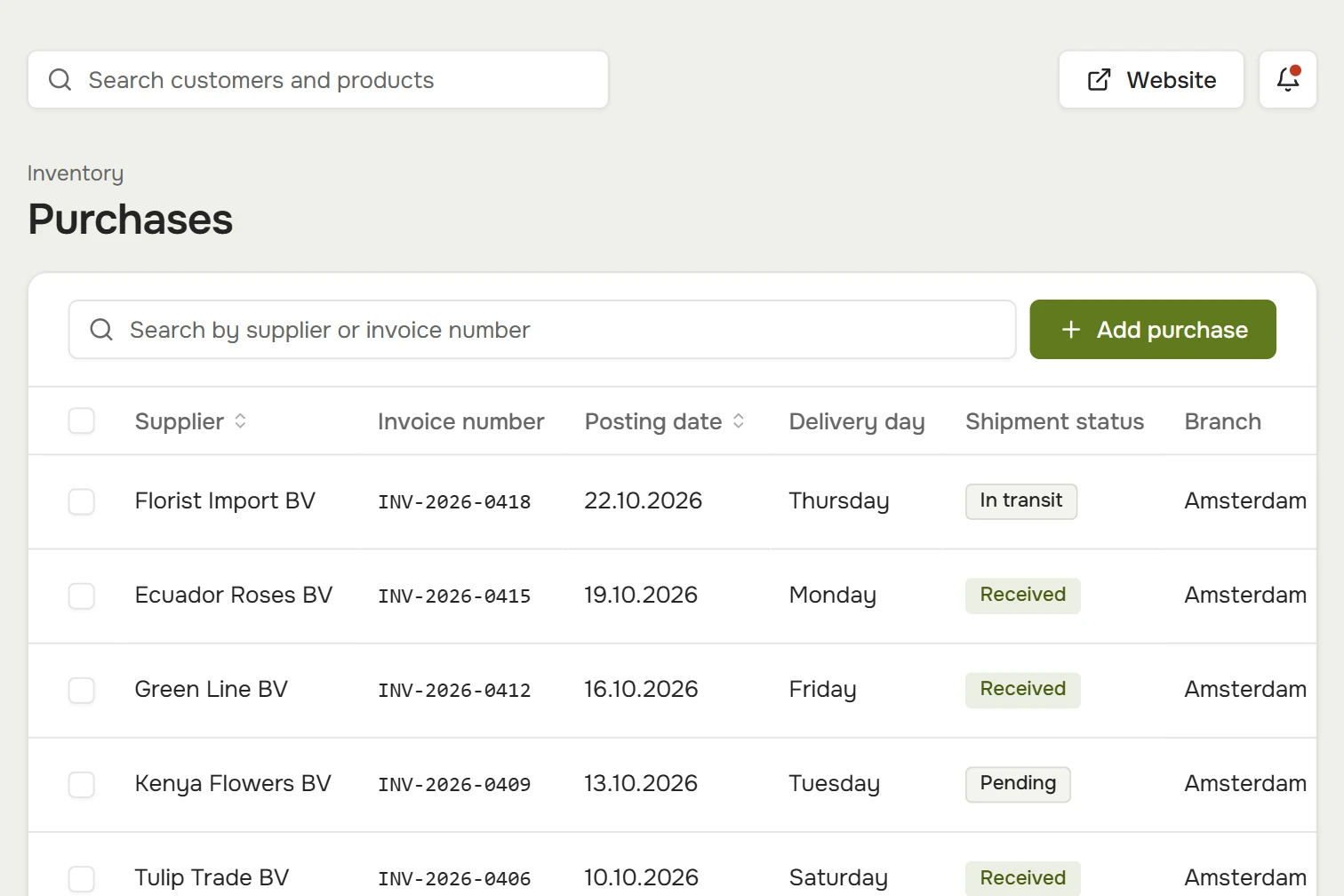
Purchases: suppliers, invoices, delivery day, status and purchase amount

The catalog updates from your accounting system.

On a schedule: products, prices and stock, and deals are recalculated overnight.

You know where everything is.

How much is on the website, how much has been moved to the warehouse and how much written off.
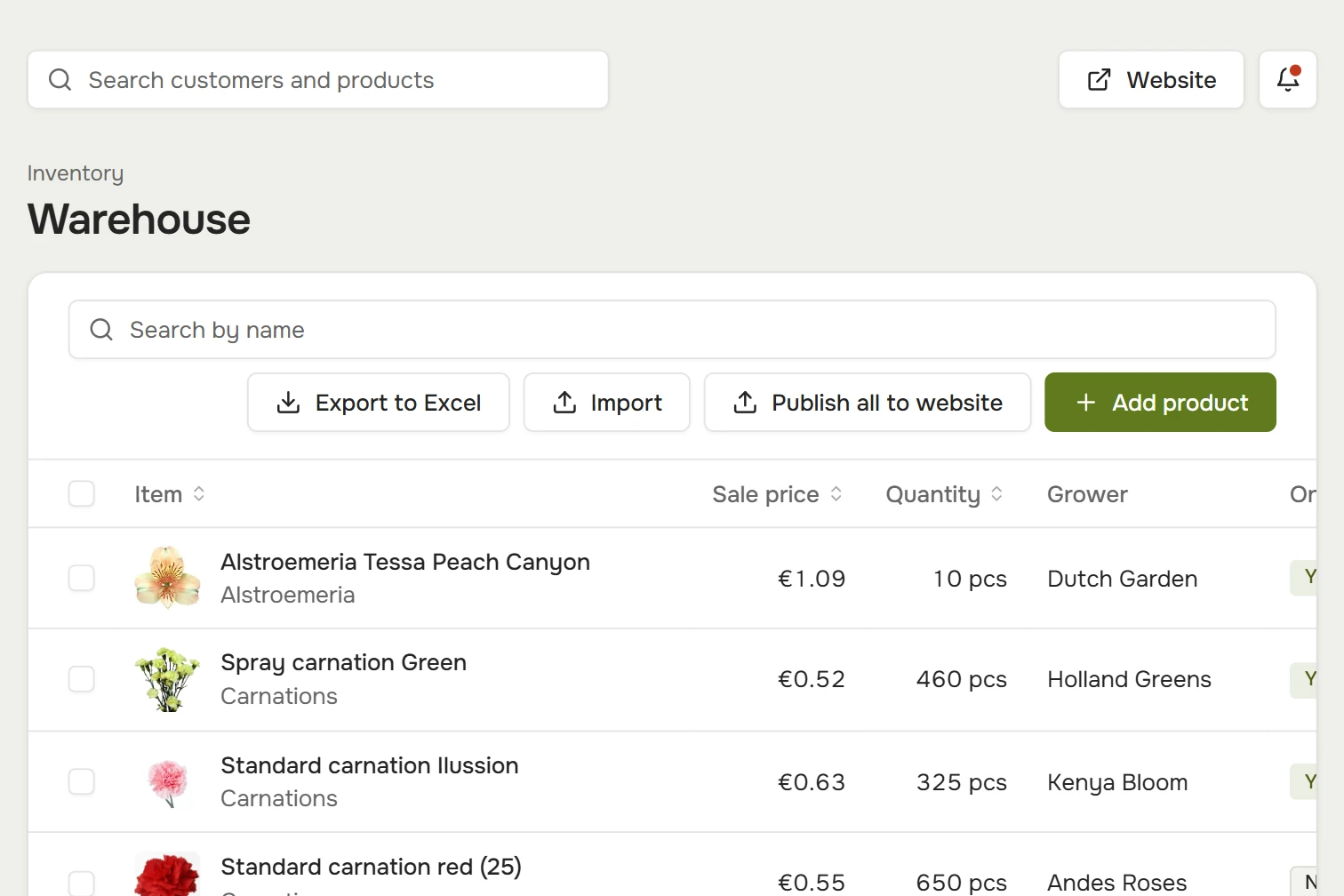
From the warehouse — straight to the storefront. Stock by branch. Put products on the website one by one or all at once.

Warehouse: quantity, grower, an “on the website” mark and branch

Publish everything to the website.

One button — and your warehouse stock is already in your customers’ catalog.

Deals switch on by date.

A discount on a variety, category or branch — with a start and end date.

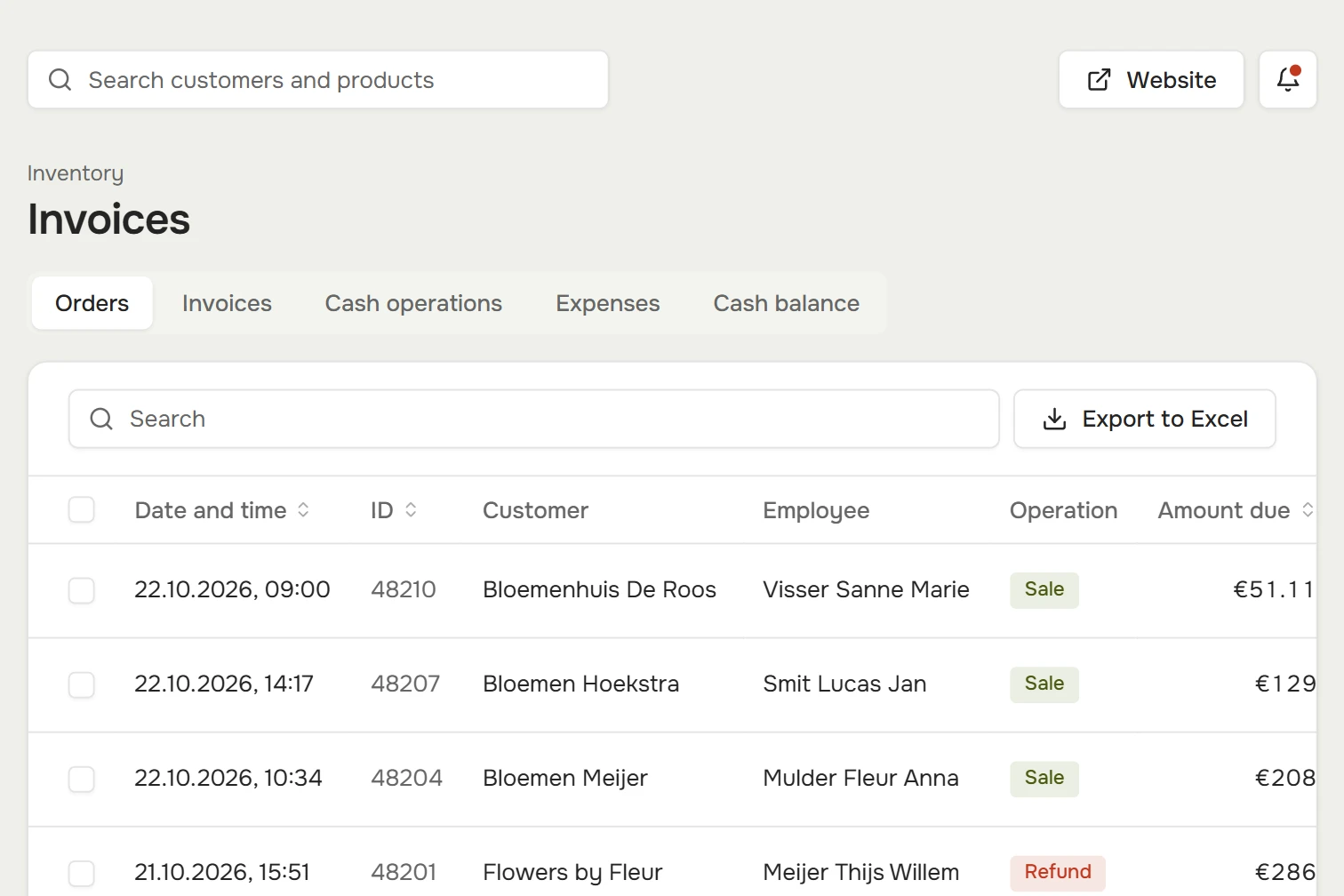
Sales and cash in one place. Orders, invoices, cash operations and expenses. Export any table to Excel.

Invoices: orders with customer, employee, amount and payment method

The day’s cash — in one feed.

Sales and returns, cash and card. The day’s total is always in view.

An announcement — straight to the customer’s account.

Shipment news goes to all customers, selected ones, or the customers of one branch.

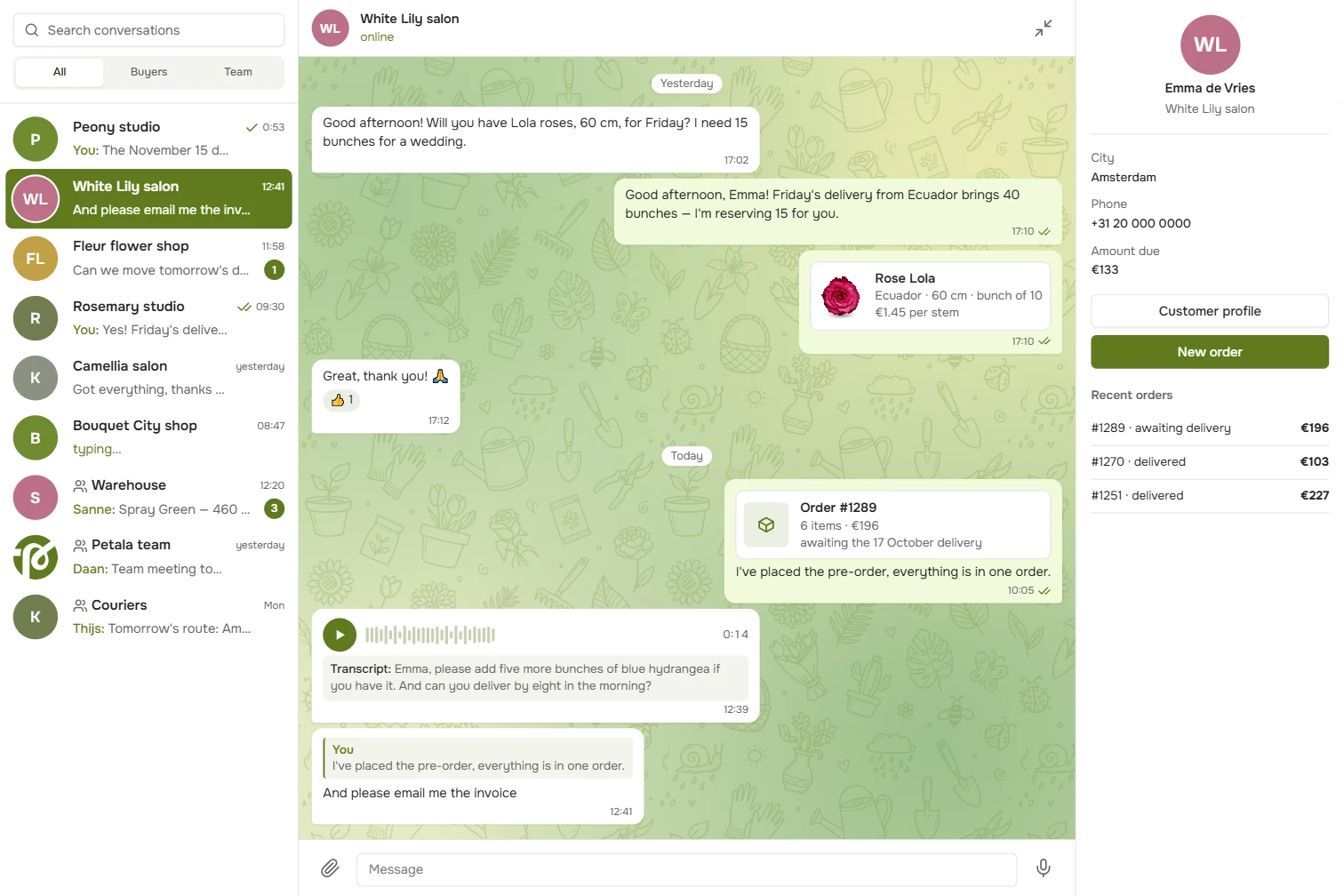
A messenger inside the CRM. Customers write from their account on the website, and your manager replies from the CRM. Team group chats live there too, and next to each conversation you see what the customer owes and their latest orders.

Chat: a conversation with a florist about a rose delivery, with a product card, an order card, a voice message and a reply; on the right, the customer card with the amount due and latest orders

You can see the message was read.

One tick — delivered, two — the customer has read it. You can reply to a specific message.

The order — right in the chat.

An order or product goes into the chat as a card: the customer sees the items, the total and the shipment date.

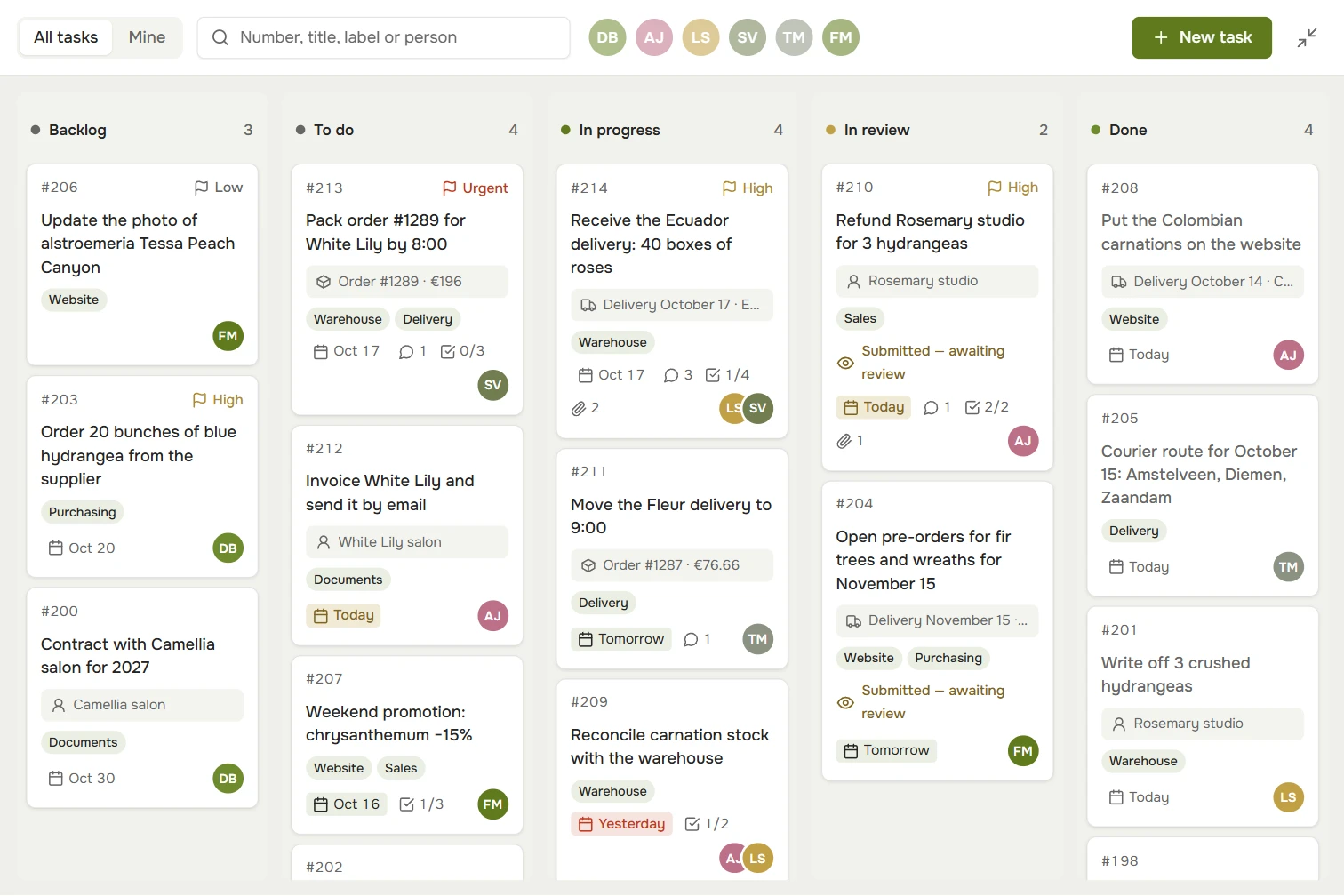
Tasks — on one board. From backlog to “Done”: cards are dragged from column to column, so everyone sees who’s on what and what’s urgent.

Tasks: a board with Backlog, To do, In progress, In review and Done columns; each card shows its number, priority, order or shipment, due date and assignee

Tasks are linked to orders.

The order, customer or shipment is right on the card — no hunting for context.

Done means checked.

A finished task waits for review. It’s either accepted or sent back with a note on what to fix.

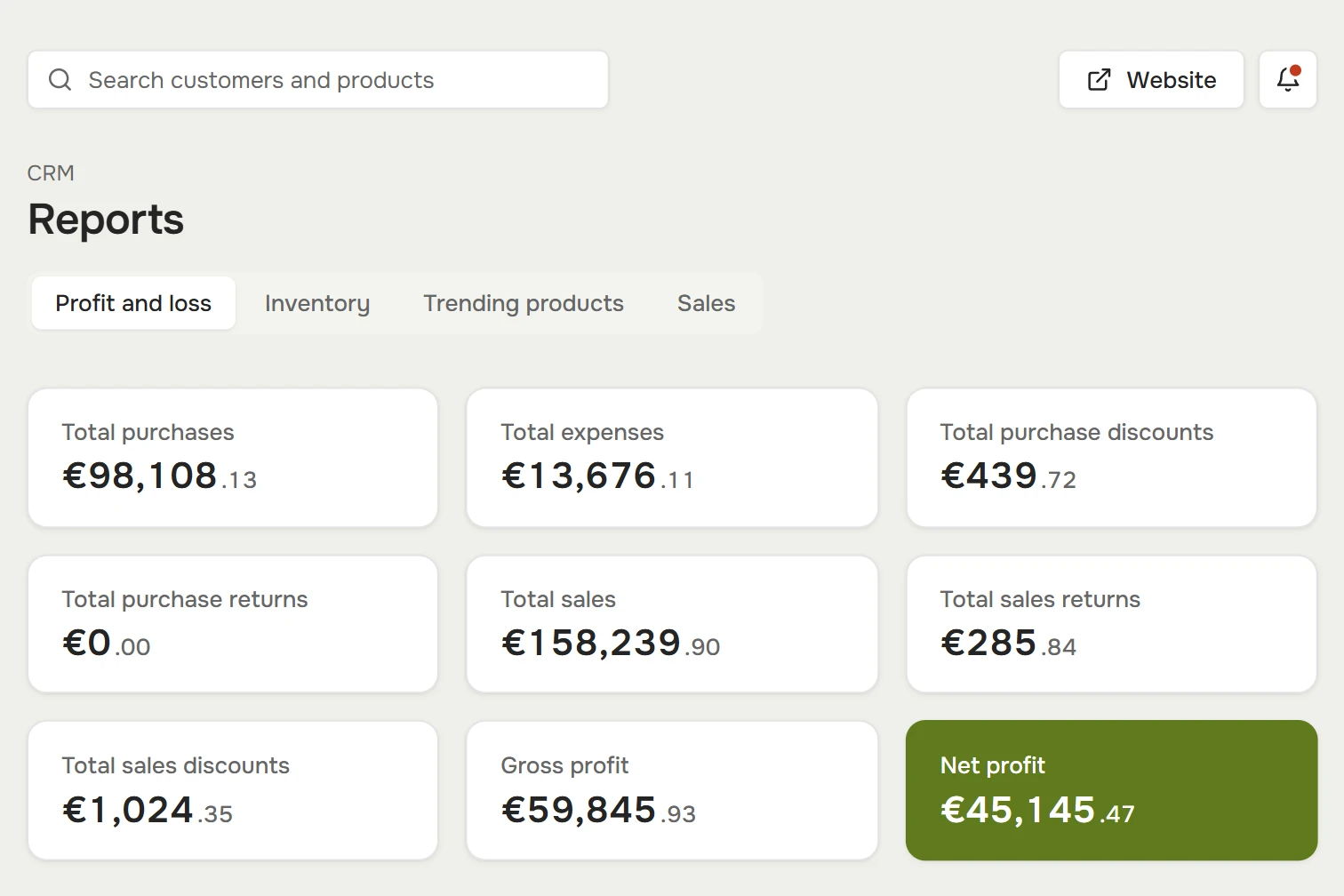
Reports build themselves. Profit and loss, inventory, trending products and sales — for any period and for every branch.

Reports: purchases, sales, discounts, gross and net profit

Profit without spreadsheets.

Sales, purchases and expenses — down to net profit.

What sells most.

Trending products by quantity and by revenue — plan your purchasing around them.

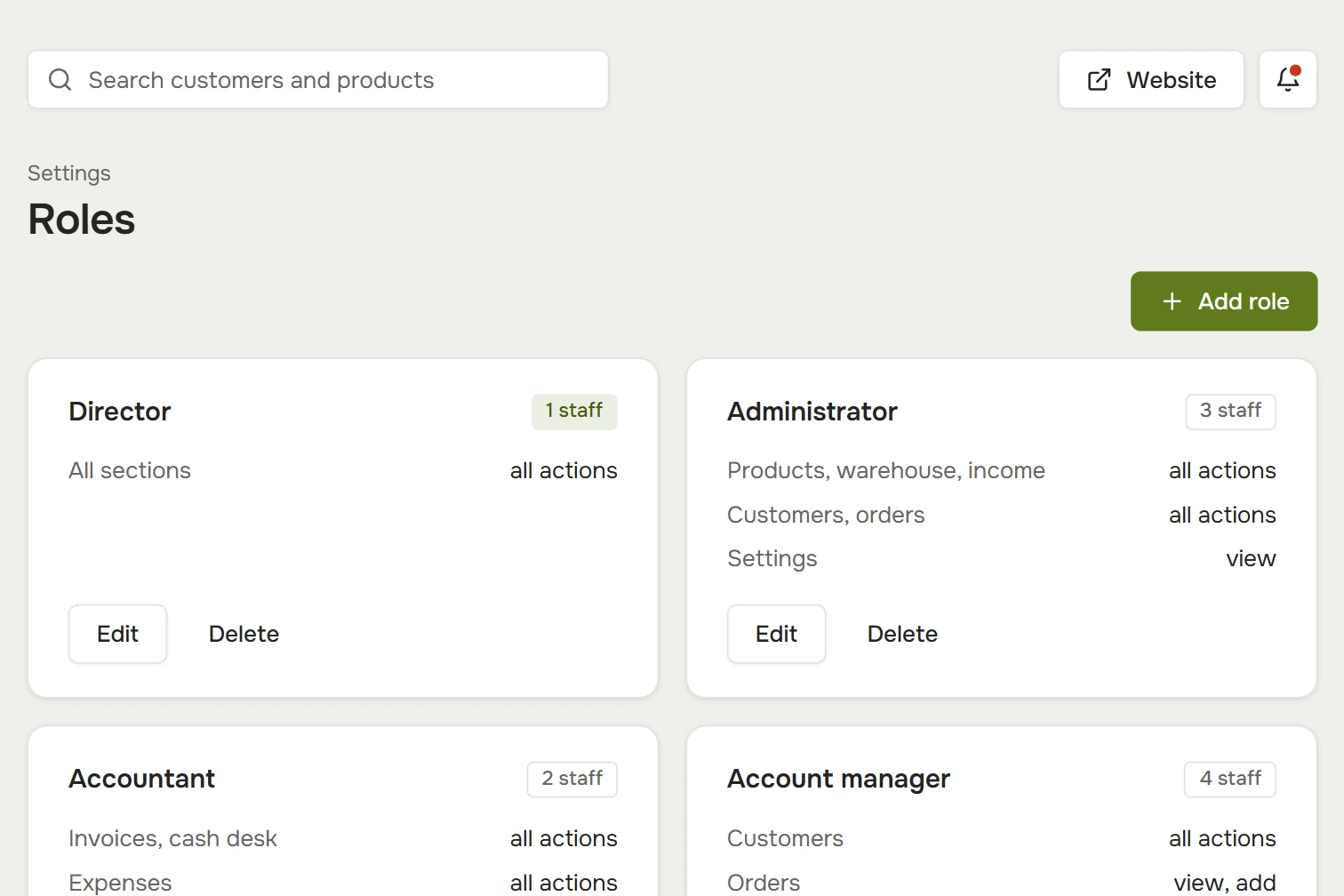
Everyone gets their part. Roles decide who sees what and who can change it: director, administrator, accountant, manager, warehouse.

Roles: permissions for the director, administrator, accountant, manager and employee

Each role has its own permissions.

The accountant gets cash and expenses, the manager gets customers and orders. Full access in some places, view-only in others.

Documents from templates.

Contract, invoice, statement, delivery note and transfer document — filled in with the customer’s details.

CRM

Your whole business — in one window.
No spreadsheets, notebooks
or counting by hand.

  • 28sections in one back office
  • 24/7scheduled sync with your accounting system
  • 6roles with different permissions
  • 1 clickany table — to Excel
All sections

What else is in the CRM. Open any section in the demo.

Open the demo CRM
  • Sales

    Customers and cash

    The monthly dashboard, customers and chat with them, invoices, cash and announcements.

  • Stock control

    Products and warehouse

    Product cards with product codes, purchases, receiving, warehouse, write-offs, deals and expenses.

  • Reports

    Numbers for any period

    Profit and loss, inventory, trending products and daily sales.

  • Team

    People and settings

    Employees and roles, the task board, document templates, branches and reference lists.

Your own flower store on Petala.

Get in touch

Request a setup

We’ll call you back, answer your questions and show you the demo.

Request sent

Thank you! We’ll call you back at .