


Demo
Get in touch
App

Your store in their pocket.

Customers order from stock or from an incoming shipment in a few taps. With your logo and the catalog from your system.

Published under your name

  • iPhone and iPadApp Store
  • AndroidGoogle Play
  • HuaweiAppGallery
How the app works

An order in a few taps. Catalog, shipments, cart and account — the same prices and stock as on the website, in five tabs at the bottom of the screen.

Your whole catalog. Departments, categories and filters, price and stock for every item — just like the website, made for a thumb.
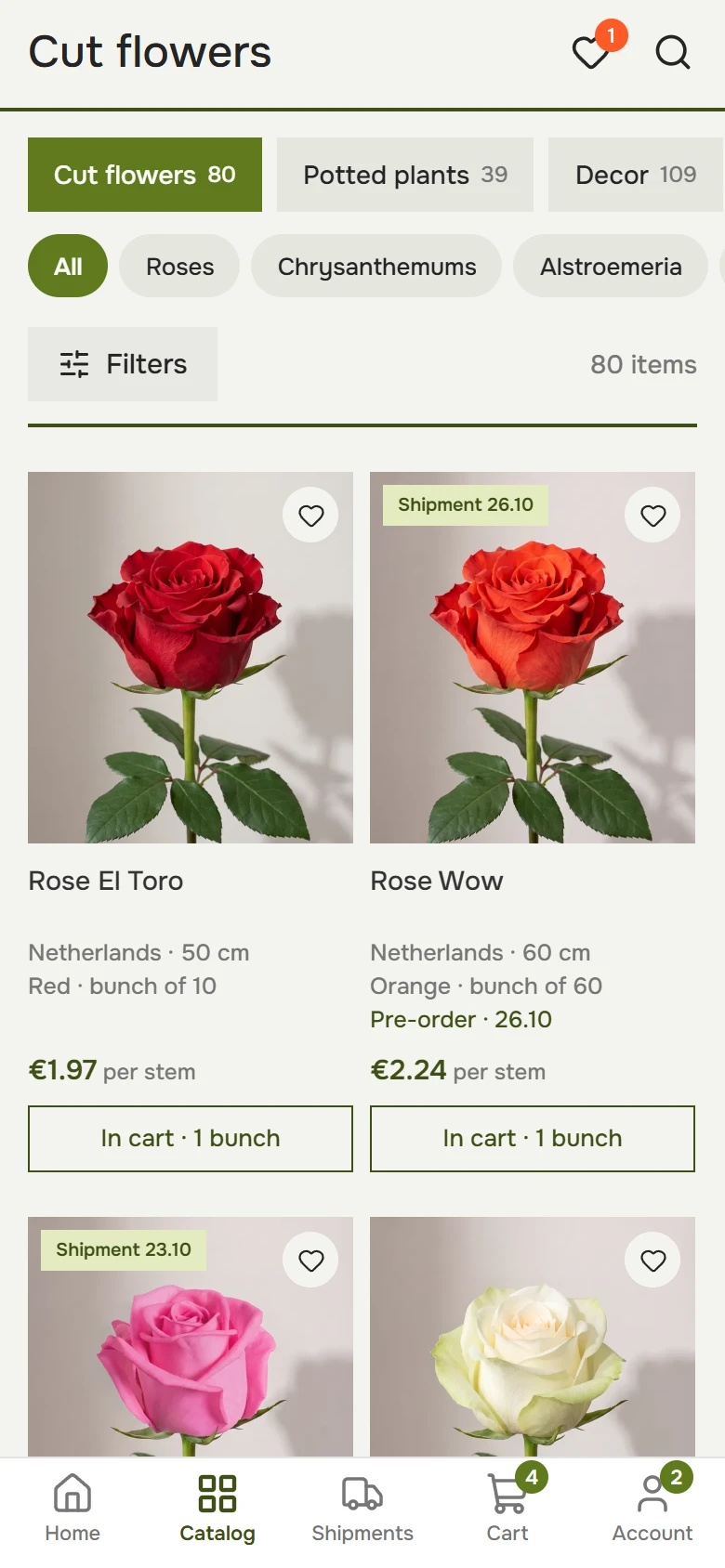
Catalog on a phone: category circles, filters and rose cards with price per stem, bunch size and Add to cart

Search with suggestions.

Start typing a variety and matching products appear right away, with price and country.

Filters only offer what’s actually there.

Options are built from the products in the section, each with the number of products it will show.
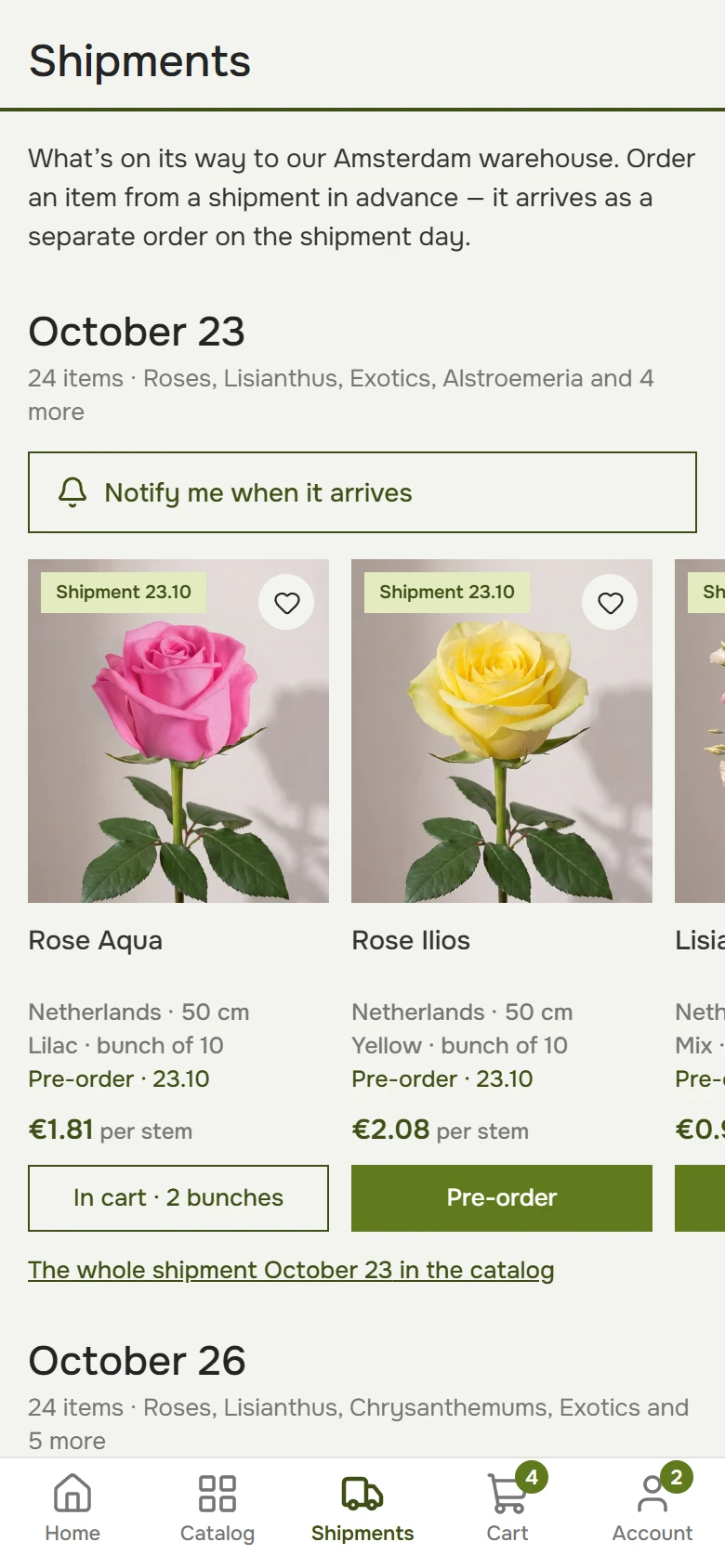
See what’s coming and when. Shipments by date: order from any of them in advance, and the item arrives as a separate order on the shipment day.

Arriving soon on a phone: shipment dates and products with a Reserve button

Shipment dates in plain sight.

A label on the card and a “Shipment” filter: in stock or the next arrival dates.

Stock levels on show.

Customers see how many bunches are left and grab theirs before they’re gone.

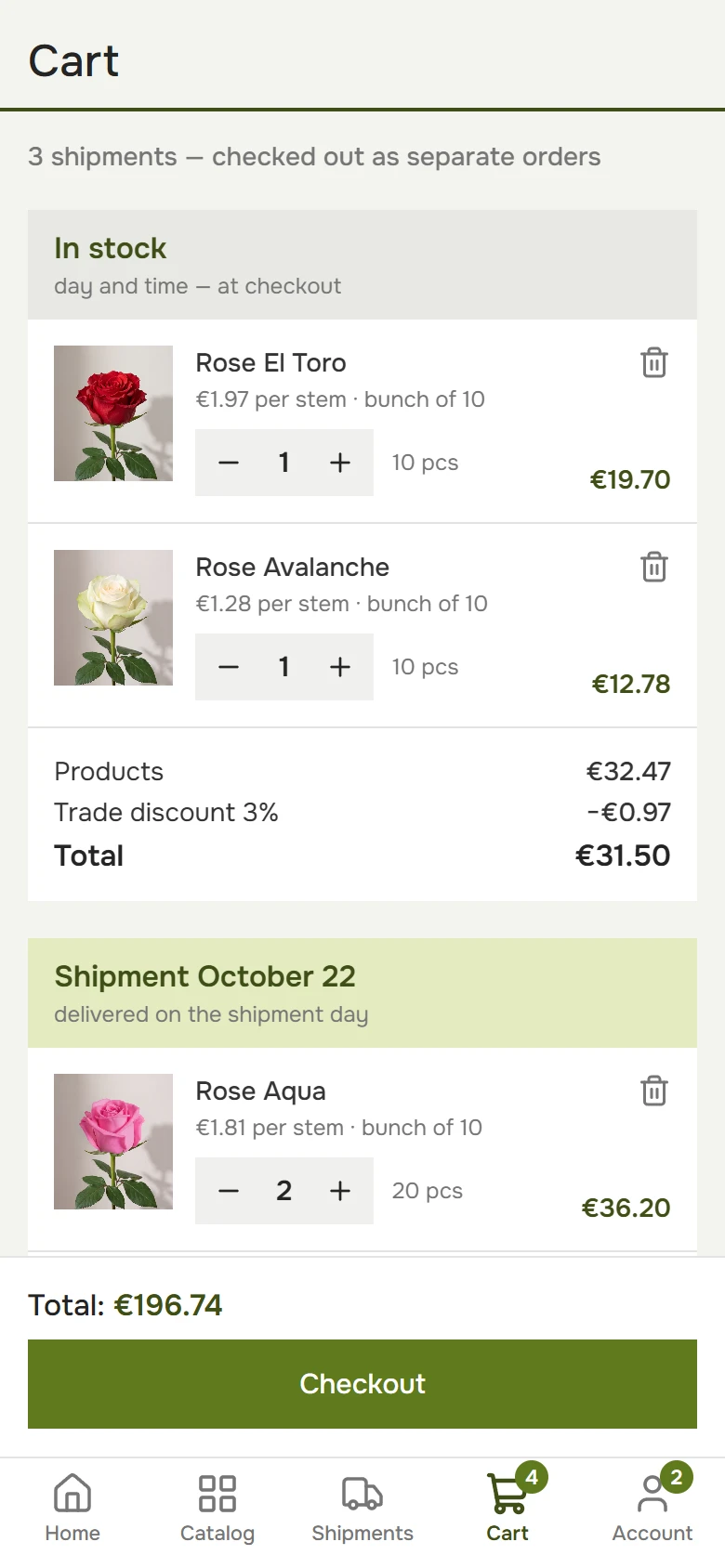
A cart split by shipment. In-stock items and each shipment become separate orders, each with its own total. The trade discount applies by itself.

Cart on a phone: in-stock items and a pre-order, each with its own total, and Checkout

Discounts apply themselves.

The cart checks the minimum order and applies the trade customer’s personal discount on its own.

Reorder.

A past order goes back into the cart in one click — no searching the catalog.

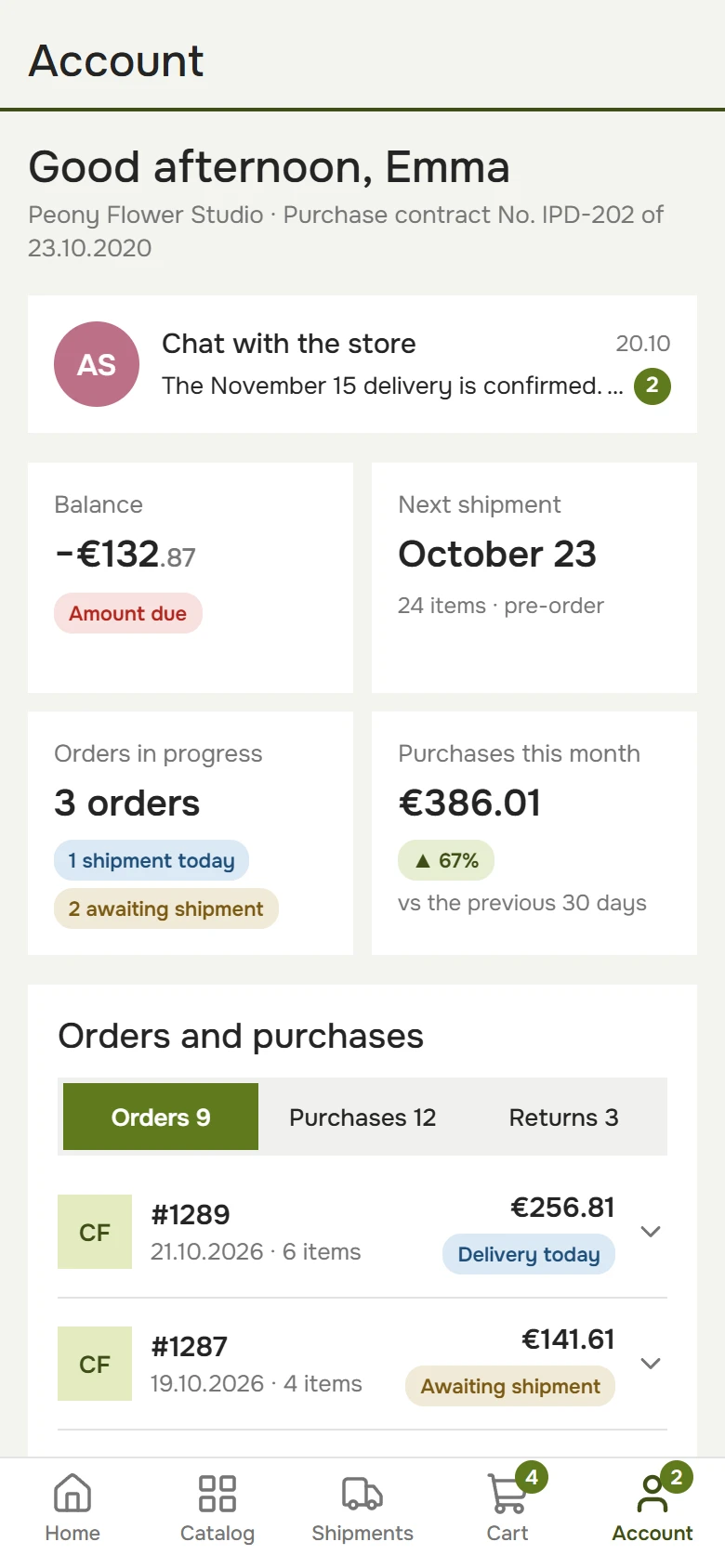
The trade customer’s account. Balance and amount due, next shipment, orders, purchases and returns — on one screen.

Account on a phone: balance with amount due, next shipment, orders in progress and purchases this month

Balance and amount due — in plain sight.

Amount due, next shipment and this month’s purchases — on the first screen of the account.

Goods in transit.

The customer’s pre-orders by shipment date — in one feed in their account.

Your own flower store on Petala.

Get in touch

Request a setup

We’ll call you back, answer your questions and show you the demo.

Request sent

Thank you! We’ll call you back at .